Blog - Diploma in Computer Applications (DCA) Course

Diploma in Computer Applications (DCA) Course

Diploma in Computer Applications (DCA) Course


COMPUTER COURSE

Unlock Your Potential with Essential Computer Skills

Why Choose Our DCA Course?

  • Comprehensive Curriculum: Covers all the fundamental aspects of computer applications.
  • Experienced Instructors: Learn from industry professionals with years of experience.
  • Practical Training: Gain hands-on experience through real-world projects and exercises.
  • Career-Oriented: Equip yourself with skills that are in high demand in various industries.
  • Flexible Learning Options: Choose between online and offline classes to suit your needs.
Enroll Now

Course Overview

The Diploma in Computer Applications (DCA) course is designed to provide you with a solid foundation in computer fundamentals and essential software applications. This course is perfect for students, professionals, and anyone looking to enhance their computer skills for personal or professional growth. It's a great starting point for a career in IT or any field requiring computer proficiency.

Our comprehensive curriculum covers a wide range of topics, including:

  • Computer Fundamentals
  • Operating Systems (Windows, Linux - Introduction)
  • Microsoft Office Suite (Word, Excel, PowerPoint, Access - Basics and Intermediate)
  • Internet Concepts and Web Browsing
  • Database Management Systems (Introduction)
  • Basic Networking Concepts
  • Typing Practice and Speed Improvement

Upon completion of the DCA course, you will be able to:

  • Use computer hardware and software efficiently.
  • Create and manage documents, spreadsheets, and presentations using Microsoft Office.
  • Browse the internet and use online resources effectively.
  • Understand basic database concepts.
  • Troubleshoot common computer problems.
  • Apply your computer skills in various professional settings.

Course Modules

Module 1: Computer Fundamentals

This module introduces you to the basic components of a computer system, including hardware and software. You'll learn about different types of computers, input/output devices, and the fundamental concepts of information technology.

  • Introduction to Computers
  • Hardware Components (CPU, Memory, Storage Devices)
  • Software Concepts (Operating Systems, Applications)
  • Computer Terminology

Module 2: Operating Systems (Windows)

This module covers the fundamentals of the Windows operating system, including file management, user interface, and system settings. You'll learn how to navigate the operating system, manage files and folders, and customize your desktop environment.

  • Introduction to Windows Operating System
  • File Management (Creating, Copying, Moving, Deleting Files and Folders)
  • User Interface Navigation (Desktop, Start Menu, Taskbar)
  • System Settings and Customization

Module 3: Microsoft Word

Master the art of document creation and formatting with Microsoft Word. Learn to create professional-looking documents, letters, reports, and more.

  • Creating and Editing Documents
  • Formatting Text and Paragraphs
  • Working with Tables and Images
  • Mail Merge
  • Page Layout and Design

Module 4: Microsoft Excel

Unlock the power of spreadsheets with Microsoft Excel. Learn to perform calculations, analyze data, and create charts and graphs.

  • Working with Spreadsheets
  • Entering and Formatting Data
  • Formulas and Functions
  • Creating Charts and Graphs
  • Data Analysis Techniques

Module 5: Microsoft PowerPoint

Create compelling presentations with Microsoft PowerPoint. Learn to design visually appealing slides, add animations, and deliver engaging presentations.

  • Creating and Formatting Slides
  • Adding Text, Images, and Multimedia
  • Animations and Transitions
  • Delivering Presentations
  • Presentation Design Principles

Module 6: Internet and Web Browsing

This module introduces you to the internet and the World Wide Web. You'll learn how to browse the web, use search engines effectively, and understand basic internet security concepts.

  • Introduction to the Internet and the World Wide Web
  • Web Browsing Techniques
  • Using Search Engines
  • Email Communication
  • Internet Security Basics

Career Opportunities After DCA

A DCA certification can open doors to various entry-level positions in the IT sector and other industries. Some potential career paths include:

  • Data Entry Operator
  • Office Assistant
  • Computer Operator
  • Customer Service Representative
  • Account Assistant (with basic accounting knowledge)
  • IT Assistant

The DCA course provides a solid foundation for further studies in computer science or related fields. It can also be a valuable asset for individuals looking to enhance their skills for career advancement.

Enroll Today!

Take the first step towards a brighter future. Enroll in our DCA course and gain the essential computer skills you need to succeed. Limited seats available, so register now!

Contact us at [email protected] or call us at 555-123-4567 for more information.

Click here to Register
© 2026 Your Company Name. All rights reserved.


1 week ago 02 May 2026 02:17PM

Search Category, Courses and Blogs

Admission Query

Related Blogs

Education Institute
COMPUTER COURSE
Education Institute
Author - RGCSM Admin

1 year ago 04 Dec 2024 01:30PM
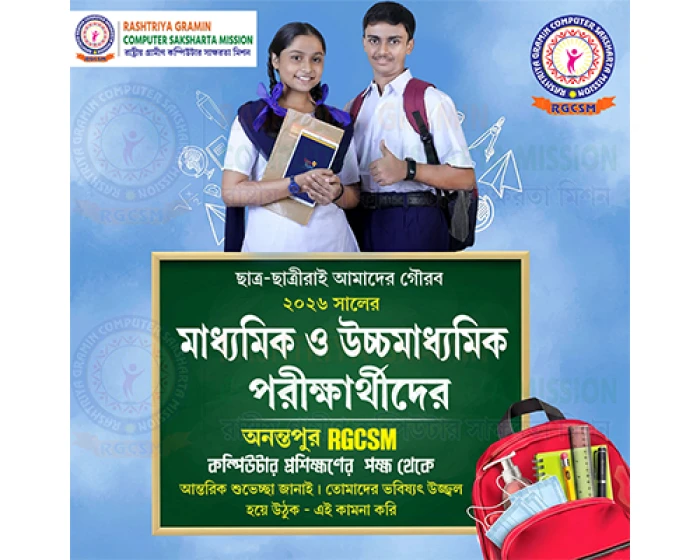
Best Wishes for West Bengal Board Madhyamik & HS Exams!
COMPUTER COURSE
Best Wishes for West Bengal Board Madhyamik & HS Exams!
Author - RGCSM Admin

3 months ago 01 Feb 2026 05:33PM